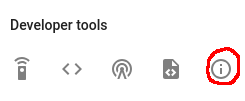
You spend a lot of time looking at logs while setting up zigbee devices, or any devices really, in HA. The current log is hidden in the developer tools info button, with a click to expand the log past a few recent lines.
I decided the I needed a panel option to view logs like OpenHAB uses in the PaperUI. It is an output of a linux command line tool called "tail" that helpfully outputs the last n lines of a text file. Great for watching logs and other text appended files in real time. I looked around and found a few options for HASS.io the docker based deployment of HA but nothing making it's way back to the Hassbian crowd.
So I decided to roll my own... says the person who intends to spend far more time on a project than they expect to.
The solution? websocketd
Websocketd is a very lightweight program that "provides full duplex messaging between web browsers and servers", it was available in many flavours for linux (including the Pi!) and can serve simple queries or static web. A quick perusal of the documentation provided me a quick framework.
websocketd takes a port option and then a command line program that dumps to standard output. My websocketd currently starts with:
sudo ./websocketd --port 1234 --staticdir=. ./taillog.sh 20
The command would normally publish the output of the script taillog.sh but I opted for a static web page, taillog.html, that is hosted in the same directory as taillog.sh. taillog.sh has the following contents:
#!/bin/bash
if [ "$1" != "" ]; then
exec tail -f -n $1 /home/homeassistant/.homeassistant/home-assistant.log

else
    echo "Usage: .//taillog.sh /#_of_lines_to_display"
fi
And taillog.html is thus:
<!DOCTYPE html>
<html>
  <head>
    <title>websocketd count example</title>
    <style>
      #count {
        font: bold 150px arial;
        margin: auto;
        padding: 10px;
        text-align: center;
      }
    </style>
  </head>
  <body>

    <ul id="logoutput"></ul>
    <script>
     var ws = new WebSocket('ws://192.168.1.100:1234/');
      ws.onopen = function() {
        document.body.style.backgroundColor = '#cfc';
      };
      ws.onclose = function() {
        document.body.style.backgroundColor = null;
      };
      ws.onmessage = function(event) {
        var node = document.createElement("LI");                 // Create a <li> node
        var textnode = document.createTextNode(event.data); // Create a text node
        node.appendChild(textnode);                      // Append the text to <li>
        document.getElementById("logoutput").appendChild(node);     // Append <li> to <ul> wit$
      };
    </script>

  </body>
Finally an entry in Home Assistant's configuration.yaml:
panel_iframe:
  logviewer:
    title: Log Viewer
    icon: mdi:file
    url: http://ha-ip-address:1234/taillog.html
I've still got some css to write to style the li tags. Maybe a highlight when new entries are added. But for now, my logs are one click closer.